01
Branded CV
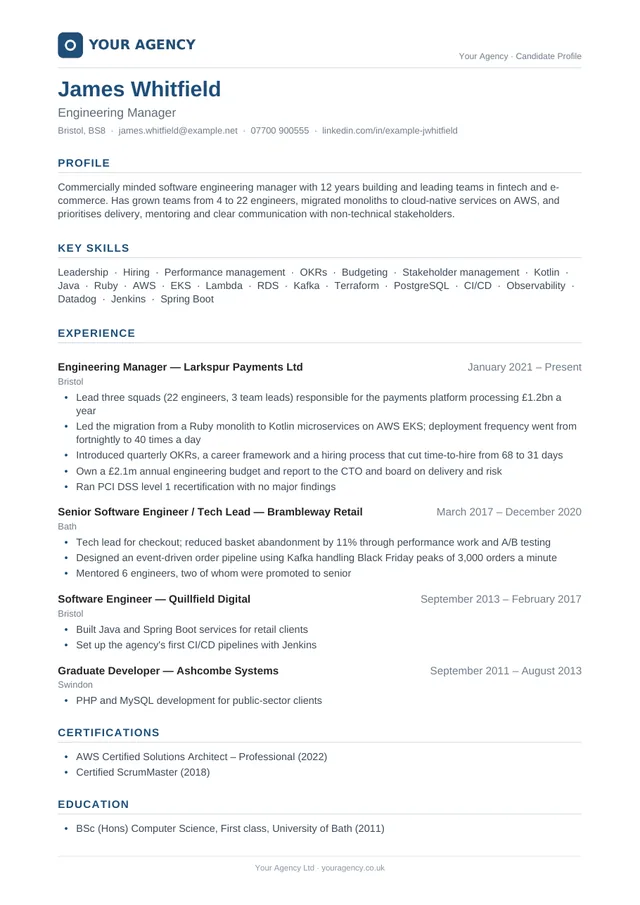
The candidate’s CV on your letterhead. Use the standard two-page layout, keep a Word CV’s own layout, or set a page count.
We’re on a mission to change the way recruitment works. We want recruiters to have less admin, more time with people, better prepared candidates which leads to more placements.
Free to create an account. Pay as you go, or save with a 12-month plan.
In an era of AI, the recruiters who last won’t be the ones who are scared of it. They’ll be the ones that embrace it.
Brandidate isn’t here to replace you. It’s here to take away the tedious part, so you can focus on what actually matters: building relationships and placing great people.
Upload a candidate’s CV or LinkedIn profile, add your client’s job description and with one click Brandidate hands you back a branded CV, a one-page overview, a summary that sells the candidate and interview preparation for the candidate that are all tailored to your client’s role.
A short introduction, and a tutorial that walks through the tool screen by screen.
We’ve worked in recruitment, and we know where the hours go. Copying a CV onto your letterhead. Writing the email that sells the candidate. Pulling together interview preparation the night before.
It’s important work, but it’s the same work for every candidate. Brandidate.ai does that preparation for you, in your branding and in plain British English, so you can spend more of your day talking to candidates and clients.
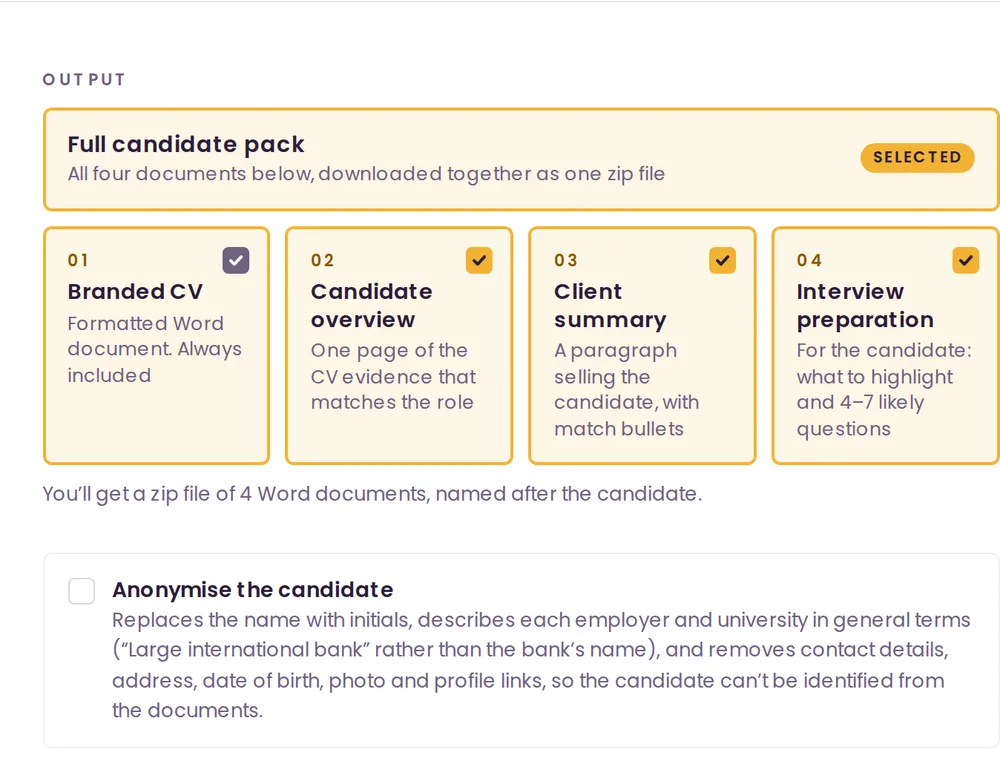
Generate the full candidate pack or just the documents you need. Each one is a Word file with your logo, font, colour, header and footer.
The candidate’s CV on your letterhead. Use the standard two-page layout, keep a Word CV’s own layout, or set a page count.
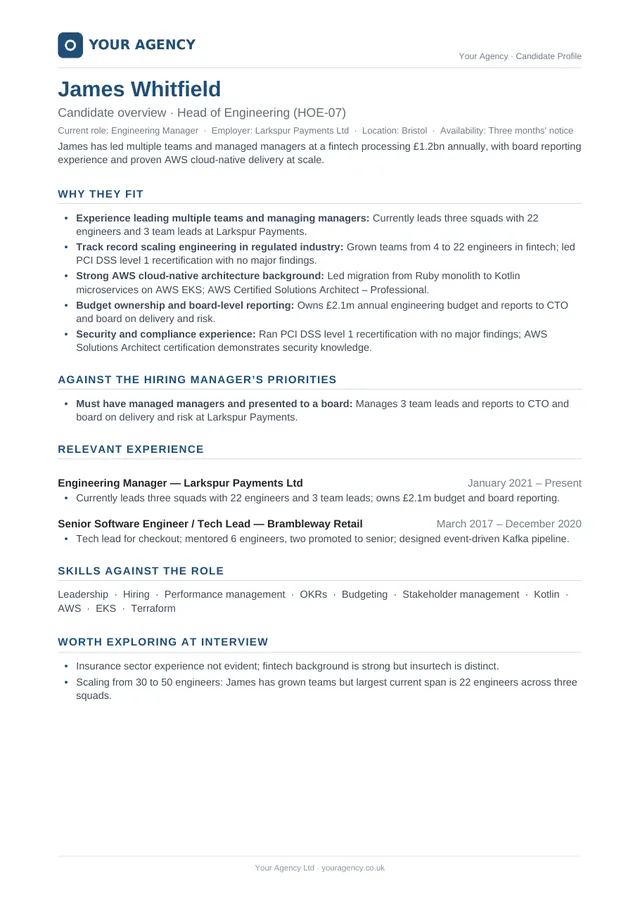
One page for the hiring manager: why the candidate fits, evidence against the role’s key requirements and points worth probing.
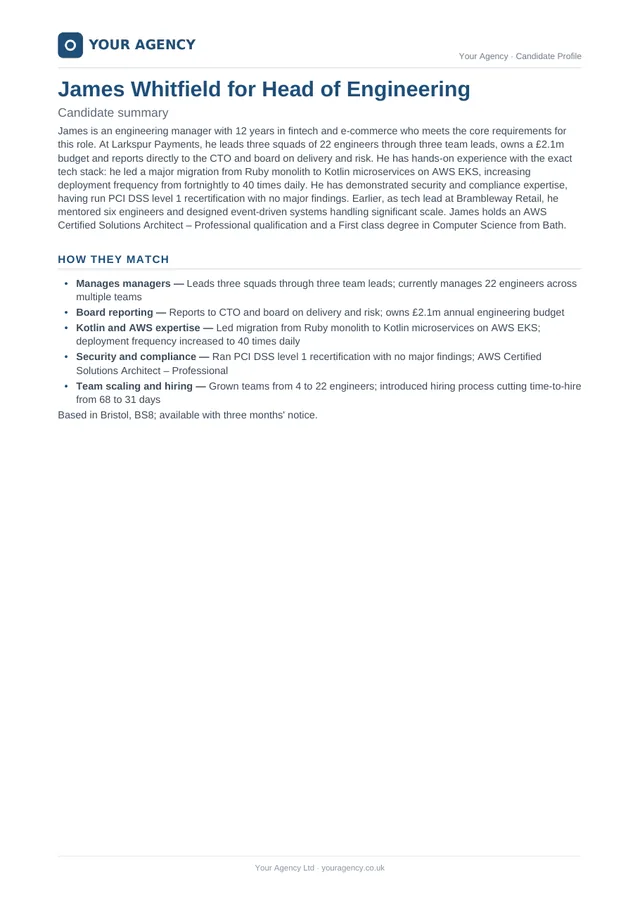
A paragraph you can paste into an email to sell the candidate, with bullet points on how they match the job description.
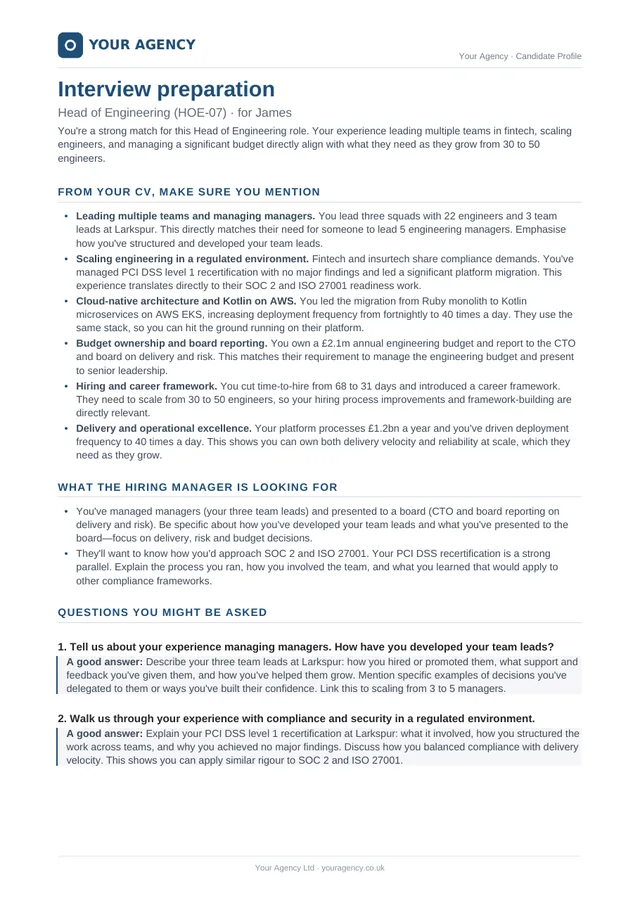
For the candidate: what to highlight, four to seven likely questions with what a good answer covers, and the hiring manager’s priorities.
Set up your branding once. After that, each candidate takes a couple of minutes of your time.
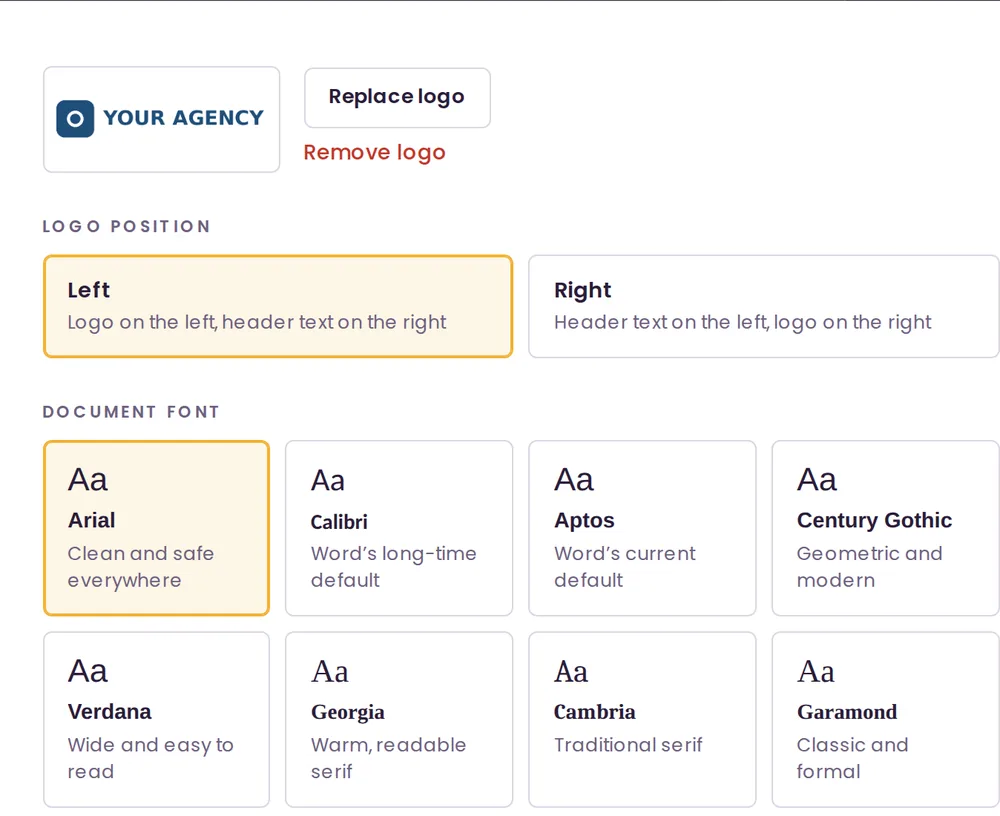
Upload your logo and choose whether it sits on the left or right. Pick a document font and accent colour, and add the header and footer you want on every page.
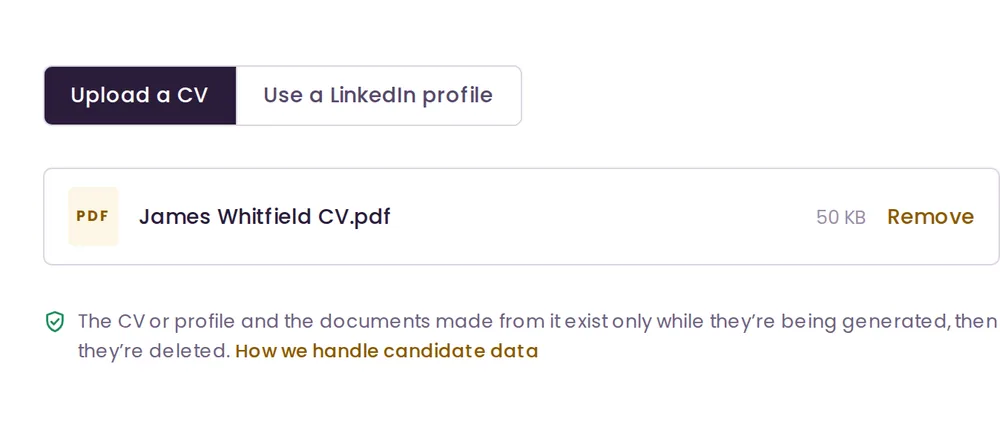
Drop in the CV as a PDF or Word file. No CV yet? Use the candidate’s LinkedIn profile instead — save it from LinkedIn as a PDF, or paste the profile text.
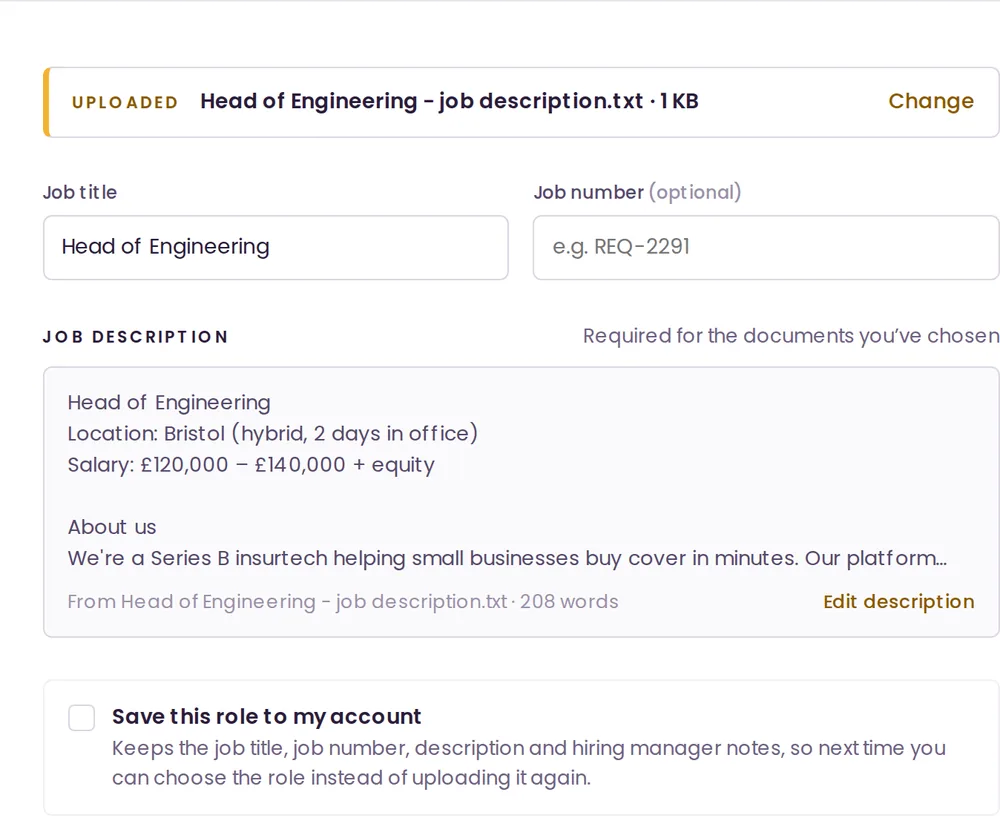
Upload the job description, paste it in, or pick a role you’ve saved. Add anything the hiring manager has asked for, and the documents will focus on it where the CV supports it.
Take the full pack or pick individual documents. Tick Anonymise if the client shouldn’t know who the candidate is yet, and choose how the CV should be laid out.
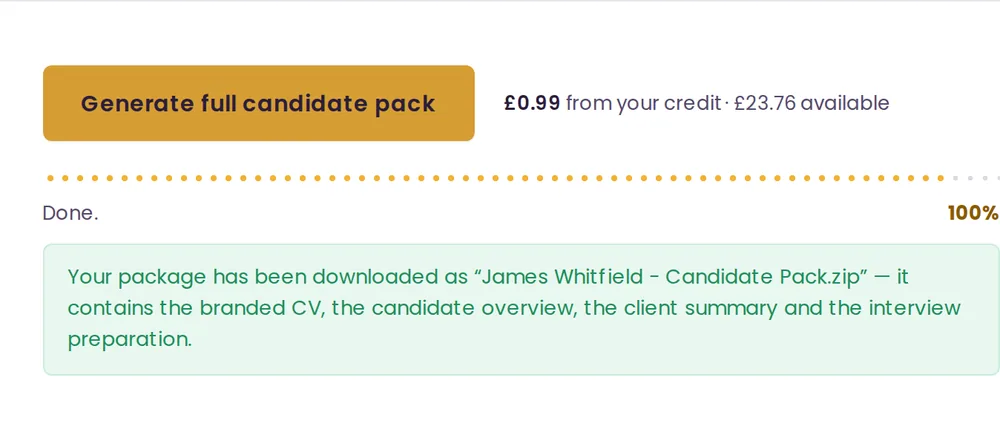
Click Generate. Seconds later, a zip named after the candidate downloads with your Word documents inside. Give them a quick read, then send them on.
Names become initials, contact details go, and employers and universities are described in general terms, such as “Large international bank”.
Save a job description and the hiring manager’s notes once, then pick the role for every candidate you put forward.
Tell it what the hiring manager cares about. The overview leads with it and the interview preparation coaches the candidate on it.
Brand a candidate from their LinkedIn profile PDF or pasted profile text when you don’t have a CV.
Brand a Word CV without changing its layout, or fit it to your standard template with a target page count.
Pay in pounds, euros or US dollars. Documents are written in British English.
Brandidate.ai is built so candidate data passes through it and isn’t kept.
A candidate pack is one generation: the branded CV on its own, or the full set of four documents. Creating an account is free, and you choose how to pay when you’re ready to generate.
Billed monthly. The allowance resets each month; once it’s used, further packs come from pay-as-you-go credit. Choose a plan from the Billing page once you’ve signed up.
Present technical candidates with the credibility they need. Brandidate pulls out the frameworks, tools and technical wins that matter to a CTO or hiring manager, not just years of experience.
Precise, professional documents for a sector where attention to detail is the job. Compliance, qualifications and track record, presented the way finance-focused clients expect to see them.
Senior-level positioning for senior-level roles. Candidate overviews that speak to boards and leadership teams.
Numbers sell. Client summaries that lead with performance, targets hit and revenue generated, so the candidate’s track record does the talking.
Creative roles presented with the flair they deserve. Documents that reflect the same energy and personality your candidate would bring to the role.
People-first documents for people-first roles. Candidate overviews that highlight culture fit alongside skills.
Built for volume. Turn around branded, client-ready documents fast enough to keep up with high-turnover, time-sensitive placements.
Brandidate cut my candidate prep from an hour to under 30 seconds. My clients really appreciate how much more agile I’ve been able to be.
I used to dread reformatting CVs for every single client. This has given me back so much time, I could never go back.
Our candidates find the interview prep document incredibly helpful, so many have said that they keep it to hand leading up to the interview. Clients have praised our professionalism and we’ve already noticed a significant time saving.
It turns a candidate’s CV and a job description into the documents you send to clients and candidates: a branded CV, a one-page candidate overview, a client summary and interview preparation. They come back as Word files with your logo, font, colour, header and footer.
Agency and in-house recruiters who put candidates forward to hiring managers and want every submission to look consistent and professional without the reformatting.
Yes. Creating an account is free, and you can set up your branding and save roles straight away. To generate documents, add pay-as-you-go credit or choose a 12-month plan.
A few seconds for a branded CV, and usually well under a minute for the full candidate pack of four documents.
CVs as PDF or Word (.docx). Job descriptions as PDF, Word or plain text, or you can paste them in. Scanned CVs that are just an image can’t be read, so ask the candidate for a text-based PDF or Word file.
Yes. Open the profile on LinkedIn, choose More, then Save to PDF, and drop that PDF in. You can also paste the profile text. Brandidate.ai never collects anything from LinkedIn itself.
No. The CV is read in memory, used to write the documents and then discarded. Nothing from it is saved to our database or files, and the finished documents download straight to you. We keep your account details, branding settings, saved roles and a record of each generation without any candidate details.
You remain responsible for the candidate data you upload, and Brandidate.ai processes it on your behalf only to create the documents. Because Brandidate.ai doesn’t store CVs, no candidate data builds up in your account over time. The details are in and in our privacy policy.
The documents are written with Anthropic’s AI models, which don’t train on your content. It’s told to use only what’s in the CV and never to invent experience, employers, dates or results. As with anything you send to a client, give the documents a quick read first.
Tick Anonymise and the candidate is referred to by initials. Contact details, address, date of birth and profile links are removed, and employers and universities are replaced with general descriptions, such as “Large international bank” or “Russell Group university”.
Yes. Upload your logo once, choose whether it sits on the left or right, and pick a font, an accent colour and the header and footer text. Every document you generate uses them.
A wide logo works best, roughly three or four times as wide as it is tall, because it sits in a box about 46 mm by 13 mm in the document header. Use a PNG with a transparent background if you can, at least 600 px wide so it stays sharp in print and under 2 MB. JPG and SVG work too. Crop off any empty space around the edges, and use your full-colour or dark version rather than a white one, since documents print on white.
Yes, for Word CVs. Choose Keep original format and Brandidate.ai adds your branding without changing the layout. PDFs, LinkedIn profiles and anonymised candidates use the standard template.
Each generation uses one candidate pack. Pay as you go costs 99p a pack, with top-ups from £10, and the credit doesn’t expire. The 12-month plans include a monthly allowance of packs at a lower price per pack. The allowance resets each month, and any extra packs come from your credit. Prices are also available in euros and US dollars.
Email hello@brandidate.ai with anything at all — questions about the tool, help getting set up, or feedback on the documents. For questions about personal data, use privacy@brandidate.ai. Our privacy policy and terms of service are on their own pages.
Plans are a 12-month commitment, billed monthly. Pay-as-you-go credit has no commitment at all, so it’s a good way to start.
Practical guides to the parts of a submission that decide whether a good candidate gets an interview.
The layout that survives a thirty-second read, the details to strip out, and how to turn duties into evidence.
Seven sections, a copyable template, and why naming one caveat makes the rest of your recommendation credible.
What to strip, what to keep, where anonymisation usually leaks, and how it fits into a real submission process.
The 48-hour brief, the five answers to rehearse, the questions they should ask, and the debrief that saves an offer.
Create your free account, set up your branding and have your first candidate pack in minutes.
Questions first? Email hello@brandidate.ai
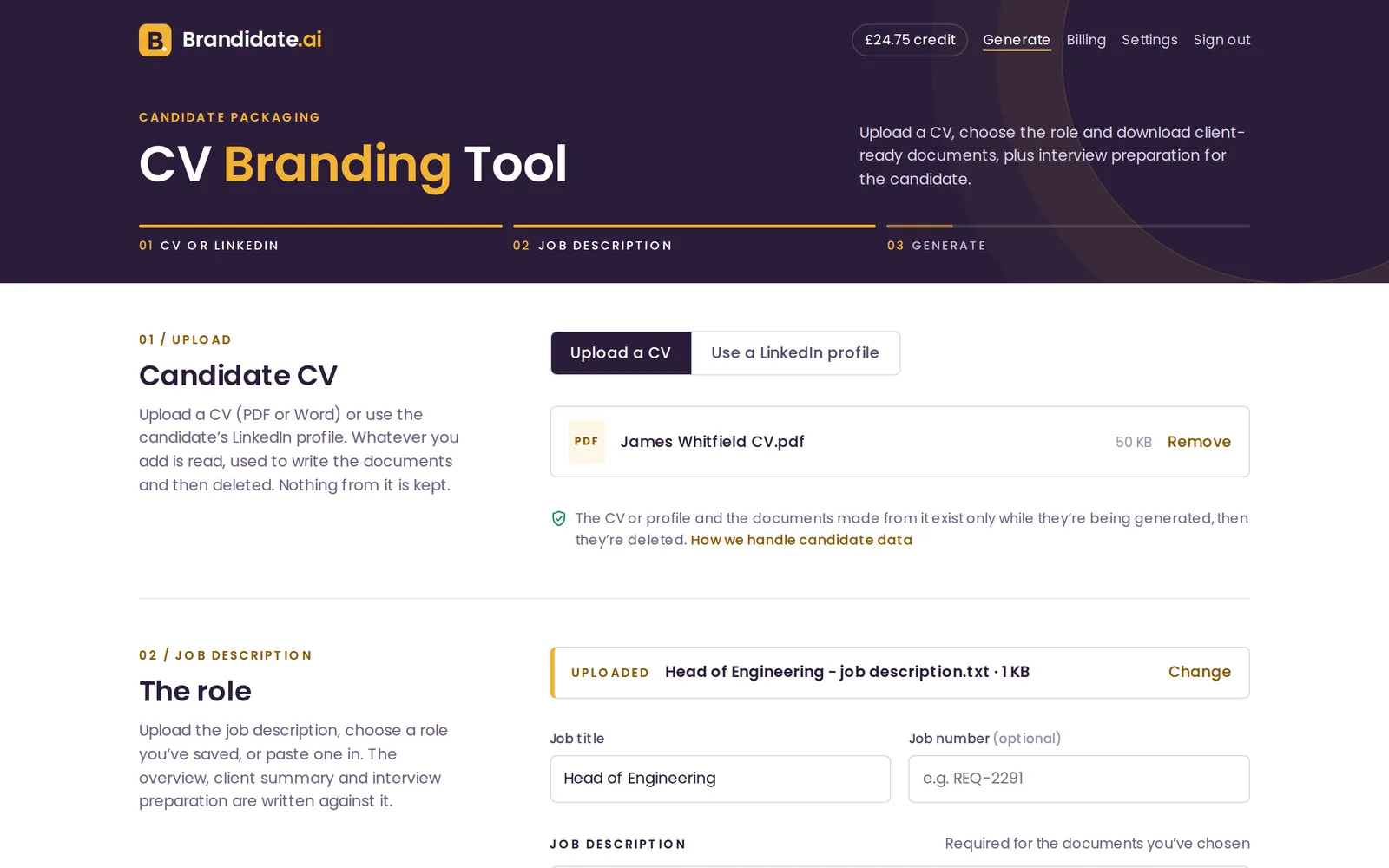
Upload a CV or use a LinkedIn profile and add the job description. Get back a branded CV, a one-page overview, a summary that sells the candidate and interview preparation they can use.
Upload a CV (PDF or Word) or use the candidate’s LinkedIn profile. Whatever you add is read, used to write the documents and then deleted. Nothing from it is kept.
LinkedIn doesn’t let other websites read profiles directly, so Brandidate.ai works from LinkedIn’s own PDF of the profile. Nothing is collected from LinkedIn automatically.
The CV or profile and the documents made from it exist only while they’re being generated, then they’re deleted.
Upload the job description, choose a role you’ve saved, or paste one in. The overview, client summary and interview preparation are written against it.
Anything the hiring manager has said they want to see. The interview preparation coaches the candidate on these points, and the overview and summary lead with them where the CV supports it.
Choose the documents and how the branded CV should look.
Applies to the branded CV document. The overview, client summary and interview preparation are always written in their own format, regardless of this setting.
The most recent roles keep full detail; older roles are reduced to a one-line summary to fit. No role is ever removed. This is a target, not an exact count — Word formatting can shift it.
If provided, the overview and client summary are based primarily on this feedback, cross-checked against the job description.
Ready in seconds.
How were the documents? — it shapes what we build next.
Applied to every document you generate. Logos can be PNG, JPG or SVG, up to 2 MB.
A wide logo works best — it sits in a box about 46 mm by 13 mm in the document header.
Used for all the text in the documents you generate. These fonts come with Microsoft Office, so documents look the same when a client or candidate opens them. The preview uses the closest font on this computer.
Used for the candidate's name and section headings. Body text stays dark grey so documents print cleanly.
Shown on every page of every document. Turn them off if a client prefers plain documents.
With the header off, your logo moves to the top of the first page instead.
Pick these from the role list instead of pasting the description each time. Changes here save straight away.
The company name appears on your invoices.
Forgotten your current password? We’ll email a link to so you can set a new one.
Each generation uses one candidate pack, whether that's a branded CV on its own or the full set.
Billed monthly with a 12-month commitment. The allowance resets each month and unused packs don't carry over. Once it's used, further packs come from your credit.